Renovation ideas,
visualized.
Redesign a room, exterior, or yard from one photo — then get an itemized, shoppable materials list.


Free to download on iPhone, iPad, and Android.
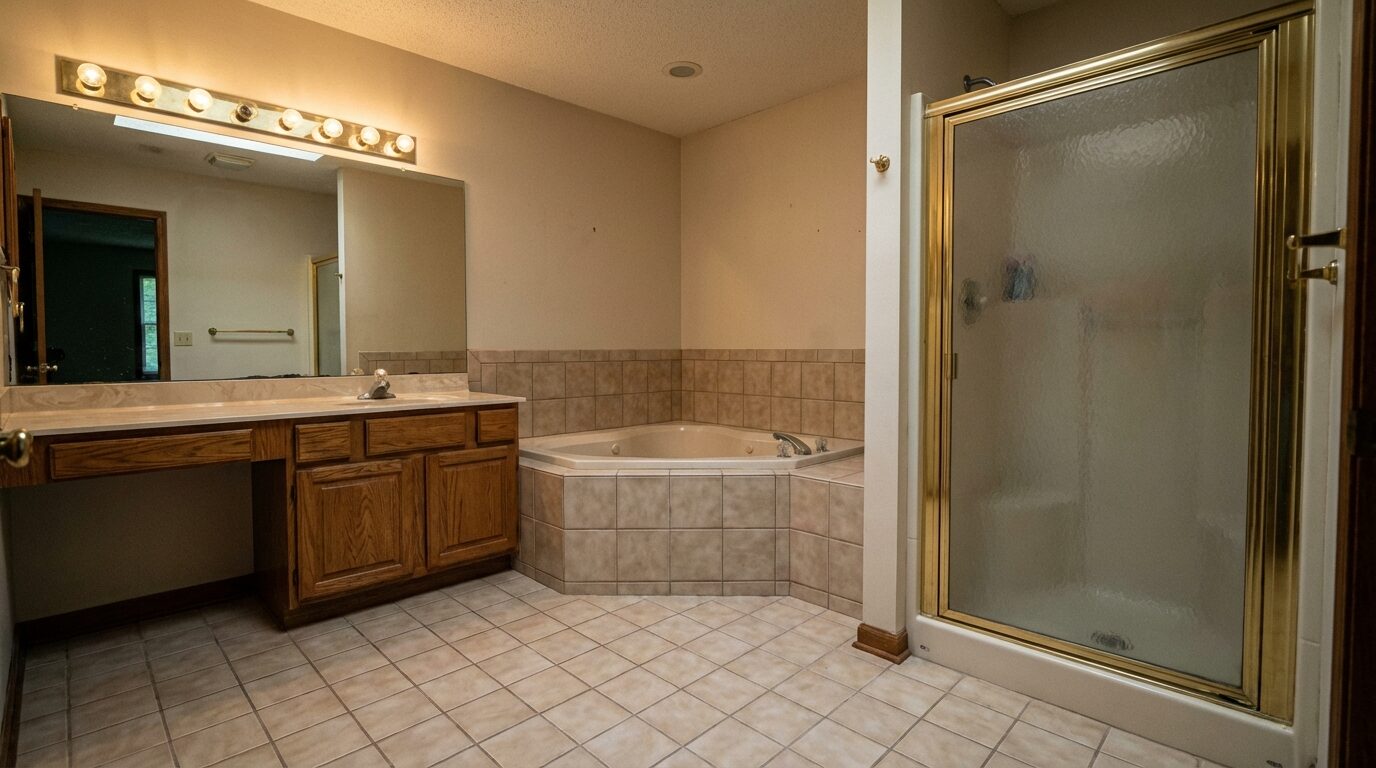 Before
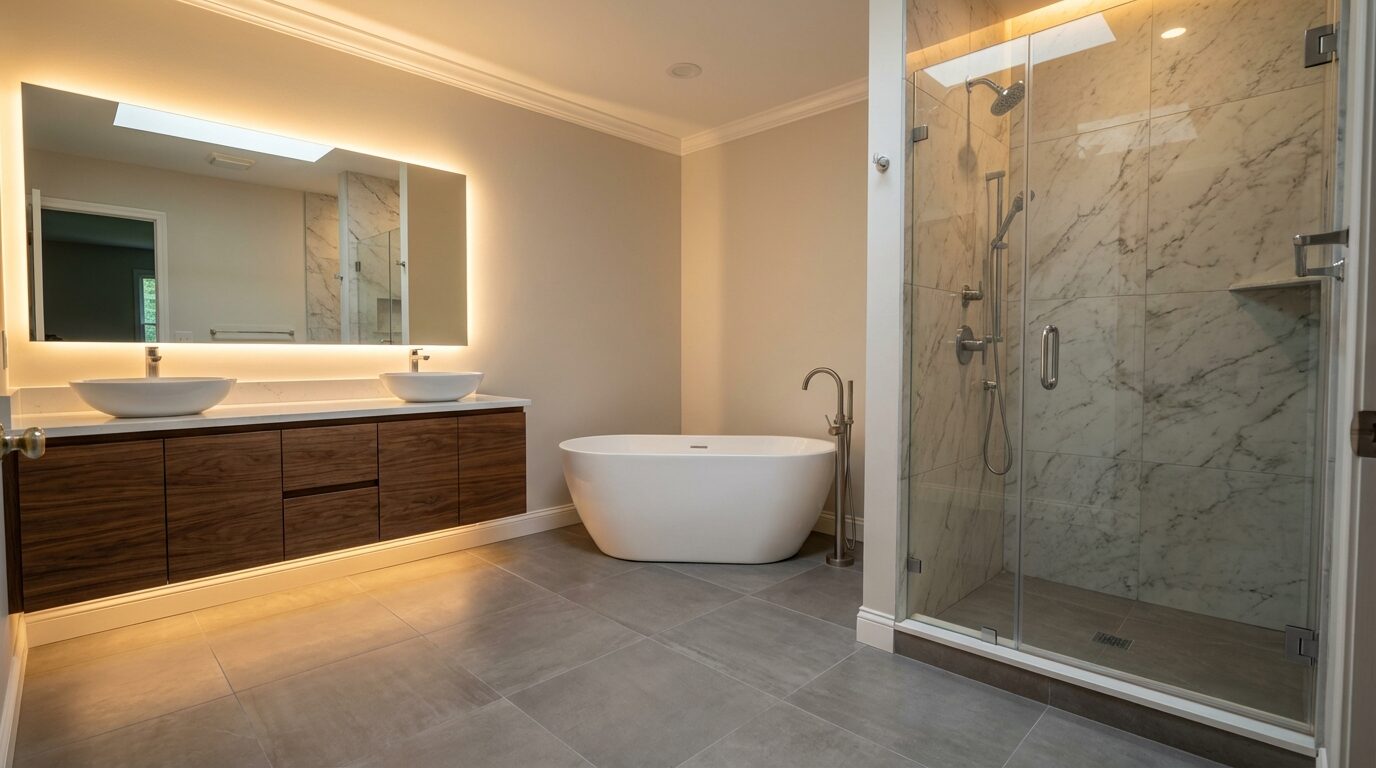 After
After
Free to download — iPhone, iPad & Android
BuildIt AI turns your
renovation ideas into
a shoppable plan
via AI visualization.
Redesign your space. Get an itemized materials list. Shop it yourself.
Free on iPhone, iPad, and Android.
Create your dream
Room, space, yard—visualize any renovation with AI.
Generate materials list
Get itemized costs with direct purchase links.
Shop the list
Open any item at Home Depot or Amazon and buy it.
See it. Refine it. Price it. Build it.
Unlock the potential of your space.
What’s in the app today
We’d rather tell you up front than have you find out after downloading.
Available now
- AI redesigns of a room, exterior, or yard from a single phone photo
- Refine any design by describing the change — color, layout, materials, lighting
- An itemized materials list for each saved design, with quantities and prices
- Retailer links that open the item at Home Depot or Amazon
- Projects and inspiration boards to keep designs and versions together
- A free tier with a monthly design allowance — no card required to start
Not yet — in development
- Contractor marketplace: posting a project and collecting bids
- In-app messaging with contractors
- Contractor accounts — sign-up is closed for now
Leave your email and we’ll tell you when these open up.
I am a...
Plan Before You Spend
See what the project could look like, and roughly what it costs, before you call anyone.
AI Visualization
Redesign a room, exterior, or yard from one phone photo. Try styles, keep the versions you like.
Linked Materials & Cost Estimates
Every saved design gets an itemized list with quantities and prices — live retailer prices where we have them, labelled AI estimates where we don’t.
Contractor Marketplace
Posting a project and collecting bids from verified contractors is still being built. It is not in the app yet.
Projects & Boards
Group designs into a project, keep inspiration on boards, and come back to any earlier version.
From Photo to Shopping List
Plan it, price it, and buy it yourself.
See It Before You Buy It
Try the finish, the color, and the layout on a photo of your actual room before spending a dollar.
Shoppable Materials List
Each item opens straight at Home Depot or Amazon, so you can check the real price and buy it there.
Refine By Describing It
Change the color palette, layout, materials, or lighting by typing what you want. Every edit becomes a version you can go back to.
Quantities, Not Guesses
Lists come with quantities and units, so you aren’t eyeballing how much tile, paint, or trim to buy.
Contractor Tools Are Still Being Built
Contractor accounts are not open yet, and none of this is in the app today. Here is what we are building. Leave your email and we’ll tell you when it opens.
90%-Done Takeoffs
Auto-generated materials lists and cost data. Fine-tune instead of starting from scratch.
"In-Person" Closer Tool
Show AI renderings on-site, tweak in real-time, and walk homeowners through visualizations that seal the deal.
High-Intent Lead Stream
Skip the tire-kickers. Every project posted comes with budget, timeline, and visual spec baked in.
Reputation Engine
Build trust with verified reviews, portfolio showcases, and project completion metrics that win bids.
Questions? We've got answers.
Think detailed preview, not blueprint. The real result depends on materials, lighting, and who does the work.
Live retailer prices where we can get them, labelled AI estimates where we can’t. Treat the total as a planning figure, not a quote.
No. A clear, well-lit phone photo of the whole area works.
Not yet. The marketplace, contractor accounts, and messaging are still in development. Leave your email and we’ll tell you when bidding opens.
Anywhere in the US. Prices come from US retailers, so it won’t be much use elsewhere yet.
Free to download, with a monthly allowance of designs and edits at no cost. Paid plans lift it. Prices are shown in the app and on the App Store and Google Play listings.
Yes. Get it on Google Play. It’s free, same as on iPhone and iPad.
That’s who it was built for. Design it, get the materials list, then buy through the Home Depot and Amazon links on each item. No contractor required.
Get BuildIt AI.
Free on iPhone, iPad, and Android. Waiting on the contractor marketplace? Leave your email and we’ll tell you when it opens.
You're on the list.